Dynamic Choices
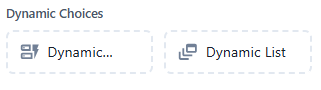
Dynamic choices allow your chatbot to display context-aware, real-time options to users by pulling data from external sources or previous steps in the flow.
 Generate real-time quick replies based on live or custom data.
Details:
- Displays horizontal buttons (quick replies) that are populated dynamically.
- Data can come from APIs, variables, or previous user input.
- Each reply triggers a different path or captures the user's selection.
Features:
- Real-time API integration support
- Supports variables and looped data
- Can limit the number of visible options
- Lightweight and mobile-friendly UI
Use Cases:
- Suggesting products based on availability
- Showing locations based on user’s city
- Listing personalized service categories
- Displaying time slots from a calendar API
Example:
Bot: “Please select a time for your appointment”
Dynamic Quick Replies:10:00 AM,10:30 AM,11:00 AM(fetched from an external scheduling API)
 Create a scrollable list with items fetched in real time.
Details:
- Displays vertical, scrollable list items with titles, subtitles, and images.
- Designed for more detailed, rich content than quick replies.
- Data can be fetched from APIs or system variables.
Features:
- Rich UI: supports title, subtitle, image, and action
- API/JSON or variable-based dynamic data loading
- Great for showcasing multiple options with more context
- Supports buttons for each list item (e.g. “View” or “Select”)
Use Cases:
- Product catalogue display (e.g., shoes, meals, services)
- Displaying FAQ categories
- Browsing available service plans
- Fetching and listing support tickets or orders