Logic
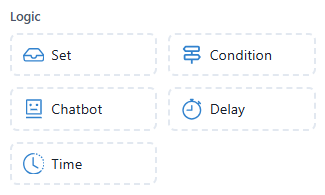
The Logic section in the Chatbot Flow Builder helps you define how your chatbot will behave under certain conditions and control the flow of the conversation. Each element provides a specific function to enhance user interactions.
 Store values or variables to use throughout the chatbot flow.
Usage Example:
Store the user's name:
Set {{userName}} = "John"
Features:
- Save user input or system-generated data
- Variables can be used later in the conversation to personalize messages or actions
- Useful for tracking user choices or session data
 Create conditional logic that checks if certain conditions are met.
Usage Example:
If the user selects "Yes", continue with the next step, otherwise ask for more information.
Features:
- Define rules like
if-elsestatements - Make decisions based on user responses, input, or stored data
- Control the flow of conversation based on conditions
 Trigger another chatbot interaction, such as sending a message or asking a question.
Usage Example:
Trigger a chatbot response to ask "How can I assist you today?"
Features:
- Calls a predefined chatbot action
- Can send messages, ask questions, or call other chatbot actions
- Essential for branching chatbot flows
 Pause the conversation for a specified time before continuing.
Usage Example:
Add a 5-second delay before showing the next message.
Features:
- Useful for pacing the conversation or simulating waiting times
- Can be used to add breaks between responses, making the chatbot appear more human-like
 Set time-based actions or schedule specific tasks to run at a later time.
Usage Example:
Trigger a reminder message to be sent at 9 AM tomorrow.
Features:
- Schedule messages or actions to occur at specific times
- Useful for time-sensitive reminders or follow-up actions
- Can be combined with other logic elements for complex workflows