Payments & E-Commerce
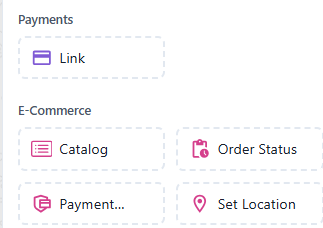
Payments enable secure and convenient payment handling within your chatbot. While E-commerce elements allow your chatbot to handle product display, order management, and transaction tracking.
Each element adds specific functionality for improving customer service and streamlining e-commerce workflows.
 Send a payment link to the user.
Usage Example:
“Click here to complete your payment: [Payment Link]”
Features:
- Generates a clickable link for payment processing
- Supports various payment gateways
- Allows users to easily access a secure payment page
 Display a product catalog to users.
Usage Example:
“Check out our catalog: [Catalog Link]”
Features:
- Shows a list of available products or services
- Can include product images, descriptions, and prices
- Allows users to browse products directly within the chatbot
 Provide users with the status of their order.
Usage Example:
“Your order #12345 is on its way and should arrive in 3 days.”
Features:
- Retrieves and displays the real-time status of a user’s order
- Can show tracking information, expected delivery date, etc.
- Helps users stay informed about their purchases
 Check and display the current status of a user’s payment within the chatbot.
Usage Example:
“Let me check your payment status... please wait a moment.”
“Your payment of ₹499 has been successfully received.”
Features:
- Retrieves real-time payment updates (Success, Pending, or Failed)
- Integrates with payment gateways and transaction databases
- Provides instant confirmation messages to the user
- Helps automate customer support by reducing manual payment tracking
- Can trigger follow-up actions (e.g., send receipt, retry payment, or escalate to support)
 Request or set the user’s location for delivery or services.
Usage Example:
“Please share your delivery location so we can process your order.”
Features:
- Prompts the user to share their GPS coordinates
- Useful for setting delivery addresses or finding nearby services
- Opens in navigation apps for accurate location sharing