Speech
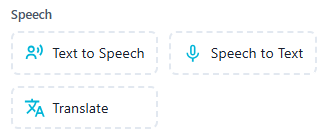
The Speech section includes tools that allow the chatbot to interact using voice and language conversion features. These enhance accessibility and make conversations more natural and interactive.
 Convert chatbot text into spoken voice.
Details:
- Speaks out the bot's messages using synthetic voice.
- Enhances accessibility and engagement.
- Ideal for screen-free or audio-first experiences.
Features:
- Multiple language and voice options
- Adjustable speed and tone
- Can be triggered conditionally (e.g. user preference or platform)
Use Cases:
- Welcome messages with voice
- Interactive voice bots
- Accessibility support for visually impaired users
- Voice-enabled kiosks or apps
 Allow users to respond using voice input.
Details:
- Captures user speech and transcribes it into text.
- Helps users engage without typing.
- Especially useful on mobile or voice-first platforms.
Features:
- Real-time transcription
- Multi-language support
- High accuracy voice recognition
Use Cases:
- Voice-based chatbots
- Conversational IVRs
- Smart home assistants
- On-the-go interactions (e.g. delivery apps)
 Translate messages to and from different languages.
Details:
- Automatically detects and translates text in the conversation.
- Ensures language inclusivity across audiences.
- Can be used in both incoming (user) and outgoing (bot) messages.
Features:
- Supports major global languages
- Auto-detects user language preferences
- Works in real-time during live conversations
Use Cases:
- Multilingual customer support
- International product assistance
- Global eCommerce bots
- Language personalization for regional campaigns