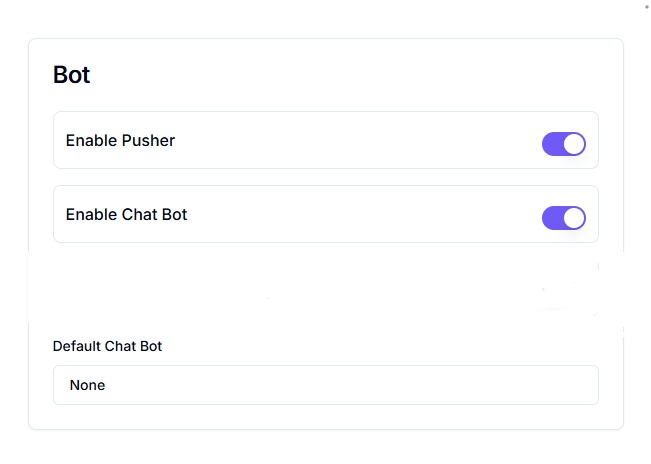
Available Settings & Their Functions
1. Enable Pusher
- What it Does: Activates real-time messaging so new messages appear instantly without refreshing.
- Purpose: Ensures users and agents receive messages immediately.
- When to Use: Enable for a seamless, live-chat-like experience.
2. Enable Chat Bot
- What it Does: Turns on the main chatbot to automatically respond to user messages based on defined logic or workflows.
- Note: If disabled, the bot will not respond automatically.
3. Default Chat Bot
- What it Does: Allows you to set a default chatbot to handle conversations.
- How to Configure: Go to Bot Settings → Default Chat Bot dropdown → Select the bot → Save changes.
- Note: If set to None, no chatbot will respond automatically.