Steps to Create Your Libromi Account
- Go to our official {{brandName}} website: {{websiteUrl}}
- Click on Sign Up
- Enter your basic information and click on Next

- Fill in your company details and click on Next
- Set your preferences, choose the required features, and then click on Create Account
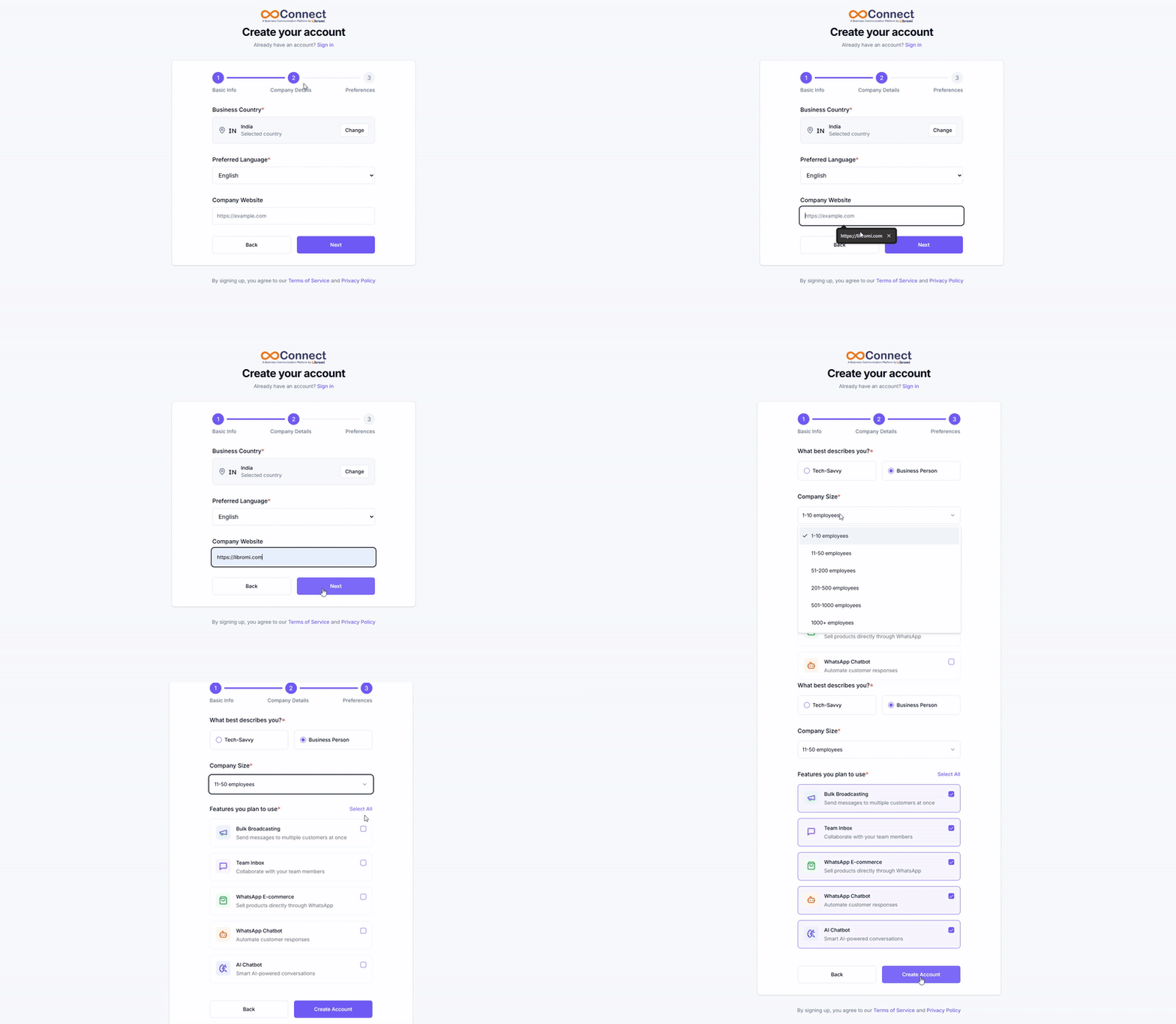
You will receive a pop-up confirmation regarding your account creation.
Note: The email and password used for Sign Up will be the same credentials used to log in to your {{brandName}} account.
Subscription and Payments
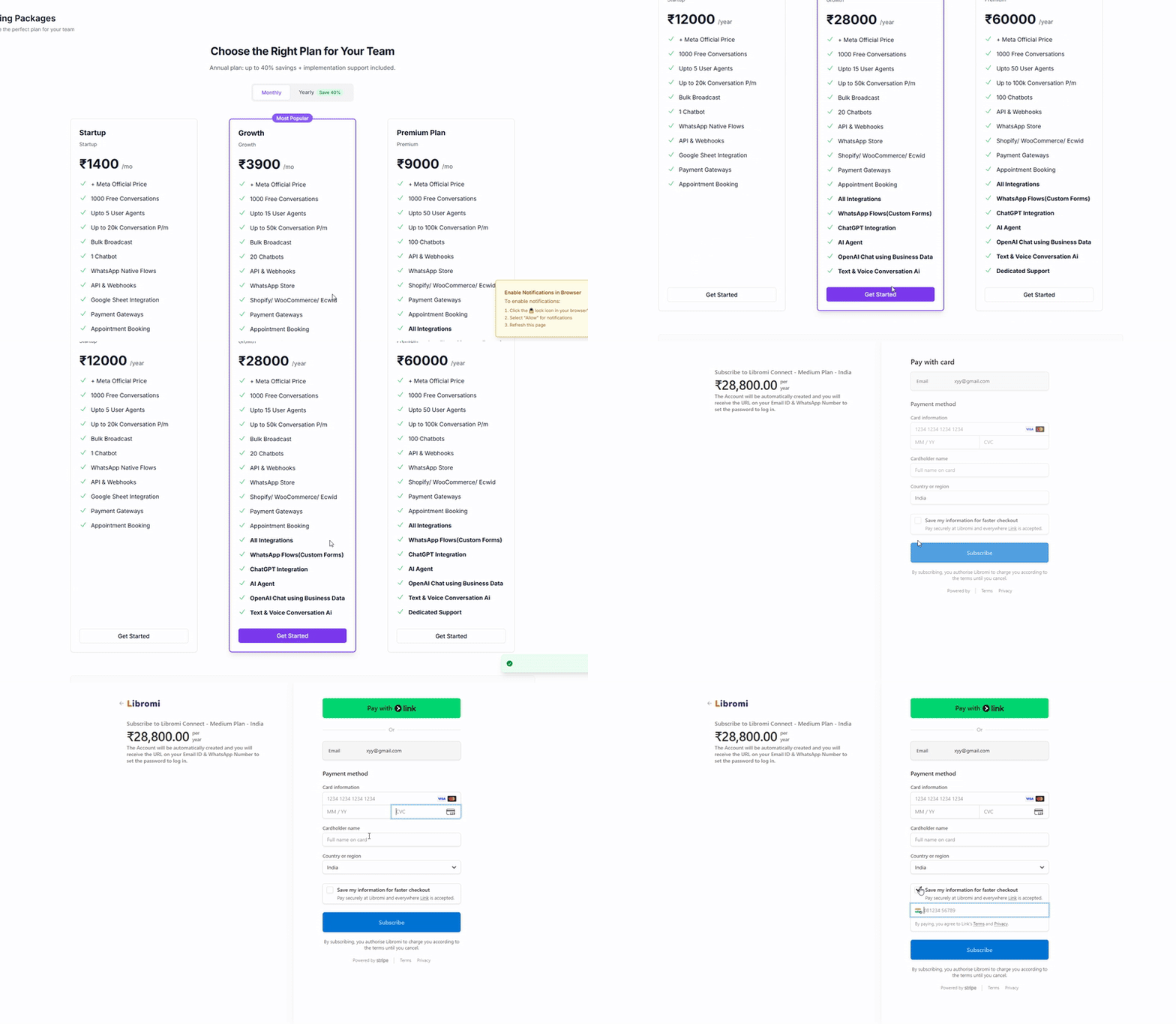
- Choose your subscription (Monthly or Yearly) and click on Get Started below the desired plan.
- Select the payment method and click on Continue to Payment.
- On the Checkout page, enter your card details and click on Subscribe.
Once the payment is successful, you will receive the invoice in your registered email ID.